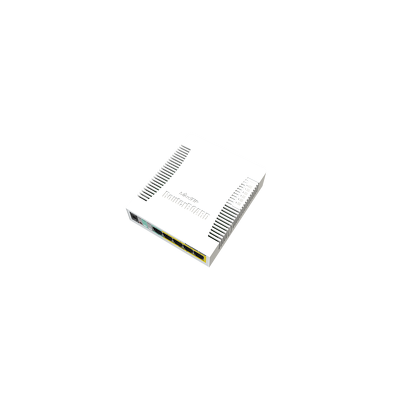


MikroTik RB260GSP 5-Port GbE 4x PoE-Out SwOS Smart Switch SFP Desktop
The MikroTik RB260GSP is a compact SOHO smart switch offering five Gigabit Ethernet ports, one SFP cage, and passive PoE output on four of its five Ethernet ports — all in a lightweight desktop plastic enclosure. Powered by the QCA8337 switch chip and running MikroTik's dedicated SwOS (SwitchOS) operating system, it delivers straightforward yet flexible Layer 2 switching management through a clean web interface. Ports 2–5 pass through passive PoE at the same voltage applied to the unit, making it simple to power compatible wireless access points, IP cameras, or small routers without the need for separate PoE injectors.

We only offer IC Certified products. For international products, contact us.

Ship Charge Will Display As Free Until Ship Address / Location Is Provided To Calculate Ship Charge.
The RB260GSP is a small-form-factor smart switch designed for SOHO and light commercial environments. It features five 10/100/1000 Mbps Gigabit Ethernet ports and one SFP cage for fibre or SFP-based uplinks, housed in a compact plastic desktop case. Switching is handled by the Atheros QCA8337 switch chip, which delivers non-blocking Layer 2 throughput across all ports. The unit runs MikroTik SwOS (SwitchOS), an operating system purpose-built for MikroTik switch products, providing a simple browser-based management interface without the complexity of a full router OS.
Passive PoE Output
One of the RB260GSP's defining features is its ability to deliver passive PoE output on Ethernet ports 2 through 5. The switch passes through the same voltage that is applied to the unit, over the data lines only, allowing it to power compatible passive PoE devices such as wireless access points, IP cameras, and small CPEs directly from the switch. The low-voltage PoE-out current limit per port is 1A, with a maximum combined PoE-out output of 2A across all active PoE ports. This makes power budgeting straightforward for small deployments.
SFP Port with DDMI
The single SFP port supports DDMI (Digital Diagnostics Monitoring Interface), allowing administrators to monitor real-time optical transceiver data such as signal strength, temperature, and voltage directly through SwOS. This is useful in installations where the RB260GSP is uplinked to a fibre backbone or a distant switch via an SFP module.
Powering Options
The RB260GSP accepts power via two inputs: a DC jack (11–30V) and a passive PoE input on Ether1 (11–30V), giving flexibility for standard adapter use or passive PoE-in from an upstream injector or switch. Maximum power consumption under full load with all PoE ports active is 53W; without any PoE output load, the switch itself consumes just 5W. A 24V 2.5A power adapter and an IEC power cord are included in the box. Cooling is fully passive, making the unit completely silent in operation.
SwOS Management
The device runs MikroTik SwOS, which is pre-installed and licenced — no additional purchase is required. SwOS provides browser-based Layer 2 switch management covering VLAN configuration, port mirroring, link aggregation, STP/RSTP, bandwidth limiting, and per-port statistics. It is accessible via a simple web interface and is well suited to users who need smart switch functionality without the full RouterOS learning curve.
Monitoring
The RB260GSP includes a PCB temperature monitor and a voltage monitor, giving administrators visibility into the switch's thermal and electrical health through the SwOS interface.
Build and Suitability
The desktop plastic enclosure measures 113 × 139 × 28mm, making it compact enough to sit on a desk, shelf, or inside a small equipment cabinet. Its IP20 rating is appropriate for standard indoor environments. With a tested operating temperature range of -20°C to +70°C and an MTBF of approximately 100,000 hours at 25°C, it is built for reliable, long-term deployment in typical office and commercial settings.
Use Cases
The RB260GSP is well suited to small offices and retail locations needing Gigabit switching with integrated PoE for access points or cameras, home networks requiring a managed smart switch with fibre uplink capability, and any deployment where a compact, silent, fanless switch with passive PoE-out is preferred over a larger managed switch.
Key Specifications at a Glance
- Product Code: CSS106-1G-4P-1S
- Switch Chip: QCA8337
- Gigabit Ethernet Ports: 5 × 10/100/1000 Mbps
- SFP Port: 1 (with DDMI support)
- PoE Out: Passive PoE on Ether2–Ether5 (same voltage as input, data lines only)
- PoE-Out Current Limit: 1A per port; 2A total maximum output
- PoE In: Passive PoE 11–30V on Ether1
- DC Input: 11–30V via DC jack
- Max Power Consumption: 53W (5W without attachments)
- Included Power Supply: 24V 2.5A power adapter + IEC cord
- Operating System: MikroTik SwOS
- Storage: 128KB FLASH
- Cooling: Passive (fanless)
- Monitoring: PCB temperature monitor, voltage monitor
- MTBF: ~100,000 hours at 25°C
- Tested Ambient Temperature: -20°C to +70°C
- IP Rating: IP20
- Dimensions: 113 × 139 × 28mm
- Certifications: CE, EAC, RoHS
- Included Parts: 24V 2.5A power adapter, IEC cord

- Product code
- CSS106-1G-4P-1S
- Dimensions
- 113x139x28mm
- Architecture
- RISC
- Storage size
- 128 KB
- Storage type
- FLASH
- Operating System
- MikroTik SwOS
- Max Power consumption
- 5W
- Tested ambient temperature
- -25℃ to +65℃
- Number of DC inputs
- 2 (DC jack, PoE-IN)
- DC jack input Voltage
- 11-30 V
- PoE in
- Passive PoE
- PoE in input Voltage
- 11-30 V
- PoE out
- Passive PoE
- 10/100/1000 Ethernet ports
- 5
- SFP DDMI
- Yes
- SFP ports
- 1
- Voltage Monitor
- Yes
- PCB temperature monitor
- Yes
General information
All students who attend the Training can receive a free L4 license from MikroTik. Training should be at least three days long.
Students are allowed to take the certification test ONLY upon the attendance of individual training course, in the class, under the supervision of a MikroTik Certified Training Partner.
Each certification test consists of a pre-defined % of random questions (multiple choice and true/false) from specific question categories. Items also have a difficulty parameter. MTCNA test is generated from more straightforward questions, Advanced tests – from more difficult questions.
Only one attempt is allowed. The test must be finished within one hour. The passing grade is set to 60%. There are 25 questions in the exam.
Certificate numbers and RouterOS L4 licenses are assigned automatically by MikroTik. Students can see their certificates and generate license keys once logged into the account server. Printed documents from MikroTik cost USD 30 per piece. Shipping is not included.
Remote training sessions and certification exams are not allowed.
MikroTik Certification Test without prior attendance of particular MikroTik Training Session is not allowed.
Wireless Netware offers every participant a free RouterBOARD hAP-ac-lite.
The price includes class attendance, course materials, coffee breaks and lunch, "Only for local Training." The amount does not cover travel and accommodation expenses.
Please bring (very important): Laptop, power extension strip (10ft./3m) with five sockets, one long Ethernet cable (16ft./5m+) and several short Ethernet cables.
Cost: Early bird price for the course is $850. It is valid 15 days before the scheduled session, referring to the MikroTik Training website. The price will be $1050 after the early bird date. The price includes class attendance, course materials, coffee breaks and lunch," Only for local Training." The amount does not cover travel and accommodation expenses. Seating is limited to only four students. The seat is reserved and guaranteed just after the payment is received in full amount.
Certificates will only be valid for three years.
Become a consultant: It's simple if you have MTCNA (score 75%+) and at least one valid MikroTik Engineer level certificate (MTCRE, MTCWE, MTCTCE, MTCUME or MEDICINE) with score 75%+, apply by email with your mikrotik.com account name and fields of expertise and MikroTik will add you to the list. To stay on the consultant list, you will have to have valid certificates, participate in the MikroTik Forum and attend the ...M.U.M. events in your country conducting RouterOS case studies or workshops for the rest of the attendees.
By purchasing any of "Training Courses," you signify your agreement to these terms and conditions. If you do not agree to these Terms and Conditions, do not use this Site or Service. *WNT may modify this ...T.O.C. at any time and such changes will be effective on the date that such modified ...T.O.C. is posted on this Site. Use of the Site or Service after such changes have taken effect constitutes acceptance of all changes. Training classes, courses, and workshops may be subject to additional notices, class/course descriptions and policies (collectively "Additional Terms"), all of which are made part of this ...T.O.C. by this reference. If there is any conflict between this ...T.O.C. and Additional Terms posted for or applicable to a specific part of Sites such as training course description, the latter supersedes concerning using that particular part of the Site or accurate Service, please read these terms carefully, and keep a copy of them for your reference.
Returns:
All returns to WNT LTD. are handled as exchanges or store credit toward a future purchase. All returns must have a valid ...R.M.A. Number. To request an ...R.M.A. number, log into your account and select. ...R.M.A. from the options menu at the left of your screen. Identify the order and the product you wish to ...R.M.A. and follow instructions on the screen. Once your ...R.M.A. request is received, our ...R.M.A. The team will review your application and respond within two business days or sooner. All products returned for an exchange or store credit must be returned within 30 days of the invoice date. Defective products received by the customer as ...D.O.A. must be reported within seven days. Shipping errors, such as incorrect quantities or incorrect product received, must be reported within seven days. Products purchased from our Clearance Sale, Overstock, Open Box or Special Order (...S.P.O.), or non-stocked items, or custom-assembled products, cannot be returned or exchanged. Order shipments, which arrived damaged, must have a completed. "Damage Parcel Report" with ...U.P.S., USPS, or DHL. All products being returned must be shipped pre-paid. Returns sent C.O.D. will not be accepted and returned to the shipper at the customer's expense. If the repair is under warranty, WNT LTD. will return the product to the customer, within Canada-Post, using Standard Service at no charge. Expedited shipping methods, international shipping costs, customs fees, and duties are the customer's sole responsibility. For non-warranty returns, the customer is responsible for all related shipping costs. All products being returned for store credit must be in the original box with all accessories, warranty cards and instructional sheets, and new, unused condition with the factory seal intact. We do not accept returns for products that have been opened or have missing parts, manuals, warranty cards, or damaged when returned (unless it's ...D.O.A.). A 25% restocking fee will apply. To ensure that the product remains in returnable condition, do not use the product box as the shipping box. You must repackage in another box with appropriate packing materials. Products arriving in a product box will be returned to the shipper at the customer's expense. The customer is responsible for adequately packaging the products returned. Contents of the package not matching the information on the ...R.M.A. form will be cause for the return of ALL equipment.